Most ebook files are in PDF format, so you can easily read them using various software such as Foxit Reader or directly on the Google Chrome browser.
Some ebook files are released by publishers in other formats such as .awz, .mobi, .epub, .fb2, etc. You may need to install specific software to read these formats on mobile/PC, such as Calibre.
Please read the tutorial at this link: https://ebookbell.com/faq
We offer FREE conversion to the popular formats you request; however, this may take some time. Therefore, right after payment, please email us, and we will try to provide the service as quickly as possible.
For some exceptional file formats or broken links (if any), please refrain from opening any disputes. Instead, email us first, and we will try to assist within a maximum of 6 hours.
EbookBell Team
4.4
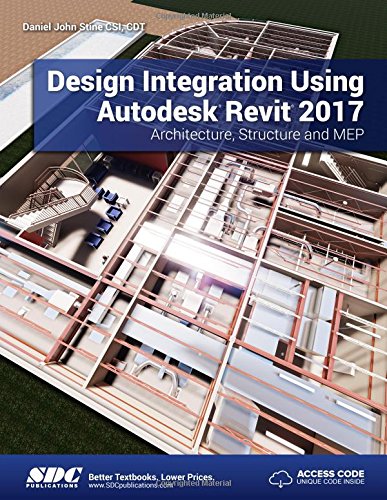
12 reviewsDesign Integration Using Autodesk Revit 2017 is designed to provide you with a well-rounded knowledge of Autodesk Revit tools and techniques. All three disciplines of the Revit platform are introduced in this textbook. This approach gives you a broad overview of the Building Information Modeling (BIM) process. The topics cover the design integration of most of the building disciplines: Architectural, Interior Design, Structural, Mechanical, Plumbing and Electrical. Civil is not covered, but adding topography to your model is. Each book comes with access to numerous video presentations of the written material as well as bonus chapters.
Throughout the book you develop a two story law office. The drawings start with the floor plans and develop all the way to photo-realistic renderings similar to the one on the cover of this book. Along the way the building s structure, ductwork, plumbing and electrical (power and lighting) are modeled. By the end, you will have a thorough knowledge of many of the Revit basics needed to be productive in a classroom or office environment. Even if you will only be working with one component of Revit in your chosen profession, this book will give you important knowledge on how the other disciplines will be doing their work and valuable insight into the overall process.
The first four chapters cover many of the Revit basics needed to successfully and efficiently work with the software. Once the fundamentals are covered, the remaining chapters walk you through a building project which is started from scratch so nothing is taken for granted by you or the author.
The videos cover the following: