logo

EbookBell.com

Most ebook files are in PDF format, so you can easily read them using various software such as Foxit Reader or directly on the Google Chrome browser.
Some ebook files are released by publishers in other formats such as .awz, .mobi, .epub, .fb2, etc. You may need to install specific software to read these formats on mobile/PC, such as Calibre.

Please read the tutorial at this link:  https://ebookbell.com/faq 


We offer FREE conversion to the popular formats you request; however, this may take some time. Therefore, right after payment, please email us, and we will try to provide the service as quickly as possible.


For some exceptional file formats or broken links (if any), please refrain from opening any disputes. Instead, email us first, and we will try to assist within a maximum of 6 hours.

EbookBell Team
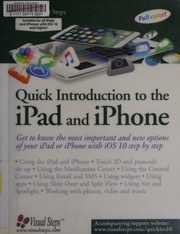
Quick Introduction To The Ipad And Iphone Get To Know The Most Important And New Options On Your Ipad Or Iphone With Ios 10 Step By Step Visual Steps Firm

  • SKU: BELL-238153790
Quick Introduction To The Ipad And Iphone Get To Know The Most Important And New Options On Your Ipad Or Iphone With Ios 10 Step By Step Visual Steps Firm
$ 35.00 $ 45.00 (-22%)

4.4

102 reviews

Quick Introduction To The Ipad And Iphone Get To Know The Most Important And New Options On Your Ipad Or Iphone With Ios 10 Step By Step Visual Steps Firm instant download after payment.

Publisher: [Netherlands?] : Visual Steps
File Extension: PDF
File size: 9.46 MB
Author: Visual Steps (Firm)
Language: English
Year: 2016

Product desciption

Quick Introduction To The Ipad And Iphone Get To Know The Most Important And New Options On Your Ipad Or Iphone With Ios 10 Step By Step Visual Steps Firm by Visual Steps (firm) instant download after payment.

172 pages : 26 cm, Browse the Internet, use email, take photos and videos and listen to music. The user-friendly iPhone has besides calling and texting many other capabilities. This handy and efficient guide with clear and concise screenshots, will teach readers step by step how to work with the elegant, yet powerful smartphone from Apple. Some experience with another type of smartphone or tablet is preferred, but most of the well-known and popular apps such as Mail, Safari, Phone, Camera and Music are thoroughly discussed. The book also focuses on how to make changes to the wide variety of settings on the iPhone and other useful subjects such as creating a backup of the iPhone (backup) and working with iCloud. Topics include: calling and texting - surfing the Internet - using email - downloading and managing apps - working with various apps - taking pictures and videos - listening to music - various settings - working with iCloud - backup and restore Suitable for all iPhones with iOS 10, Includes index, Using the iPad and iPhone -- Mail, SMS and messages -- Apps -- Photos and video -- Music and Apple Music

Related Products