Perform pre-deployment network and workstation testsConfigure virtual machines, storage devices, and workloadsSet up and secure a fully virtualized and highly available server environmentManage a centralized, on-demand application delivery frameworkHandle volatile and persistent desktop virtualizationUse hypervisors to facilitate workload deliveryImplement failsafe system backup and recovery strategies"> Perform pre-deployment network and workstation testsConfigure virtual machines, storage devices, and workloadsSet up and secure a fully virtualized and highly available server environmentManage a centralized, on-demand application delivery frameworkHandle volatile and persistent desktop virtualizationUse hypervisors to facilitate workload deliveryImplement failsafe system backup and recovery strategies"> Perform pre-deployment network and workstation testsConfigure virtual machines, storage devices, and workloadsSet up and secure a fully virtualized and highly available server environmentManage a centralized, on-demand application delivery frameworkHandle volatile and persistent desktop virtualizationUse hypervisors to facilitate workload deliveryImplement failsafe system backup and recovery strategies"> Perform pre-deployment network and workstation testsConfigure virtual machines, storage devices, and workloadsSet up and secure a fully virtualized and highly available server environmentManage a centralized, on-demand application delivery frameworkHandle volatile and persistent desktop virtualizationUse hypervisors to facilitate workload deliveryImplement failsafe system backup and recovery strategies">
logo

EbookBell.com

Most ebook files are in PDF format, so you can easily read them using various software such as Foxit Reader or directly on the Google Chrome browser.
Some ebook files are released by publishers in other formats such as .awz, .mobi, .epub, .fb2, etc. You may need to install specific software to read these formats on mobile/PC, such as Calibre.

Please read the tutorial at this link:  https://ebookbell.com/faq 


We offer FREE conversion to the popular formats you request; however, this may take some time. Therefore, right after payment, please email us, and we will try to provide the service as quickly as possible.


For some exceptional file formats or broken links (if any), please refrain from opening any disputes. Instead, email us first, and we will try to assist within a maximum of 6 hours.

EbookBell Team
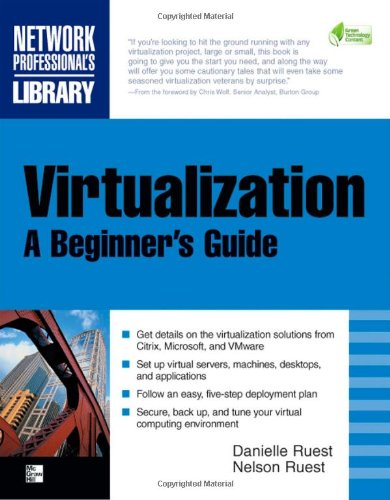
Virtualization A Beginners Guide 1st Edition Nelson Ruest Danielle Ruest

  • SKU: BELL-1081716
Virtualization A Beginners Guide 1st Edition Nelson Ruest Danielle Ruest
$ 35.00 $ 45.00 (-22%)

5.0

68 reviews

Virtualization A Beginners Guide 1st Edition Nelson Ruest Danielle Ruest instant download after payment.

Publisher: McGraw-Hill Osborne Media
File Extension: PDF
File size: 11.16 MB
Pages: 463
Author: Nelson Ruest, Danielle Ruest
ISBN: 9780071614016, 9780071614023, 007161401X, 0071614028
Language: English
Year: 2009
Edition: 1

Product desciption

Virtualization A Beginners Guide 1st Edition Nelson Ruest Danielle Ruest by Nelson Ruest, Danielle Ruest 9780071614016, 9780071614023, 007161401X, 0071614028 instant download after payment.

Migrate to a dynamic, on-demand data delivery platform

"If you're looking to hit the ground running with any virtualization project, large or small, this book is going to give you the start you need, and along the way will offer you some cautionary tales that will even take some seasoned virtualization veterans by surprise." --From the foreword by Chris Wolf, Senior Analyst, Burton Group

Transform your IT infrastructure into a leaner, greener datacenter with expert guidance from a pair of industry professionals. Through clear explanations, examples, and a five-step deployment plan, Virtualization: A Beginner's Guide shows you how to maximize the latest technologies from Citrix, Microsoft, and VMware. Consolidate your servers, set up virtual machines and applications, and manage virtual desktop environments. You'll also learn how to implement reliable security, monitoring, and backup procedures.

  • Select a virtualization platform and develop rollout plans>
  • Perform pre-deployment network and workstation tests
  • Configure virtual machines, storage devices, and workloads
  • Set up and secure a fully virtualized and highly available server environment
  • Manage a centralized, on-demand application delivery framework
  • Handle volatile and persistent desktop virtualization
  • Use hypervisors to facilitate workload delivery
  • Implement failsafe system backup and recovery strategies

Related Products