Most ebook files are in PDF format, so you can easily read them using various software such as Foxit Reader or directly on the Google Chrome browser.
Some ebook files are released by publishers in other formats such as .awz, .mobi, .epub, .fb2, etc. You may need to install specific software to read these formats on mobile/PC, such as Calibre.
Please read the tutorial at this link: https://ebookbell.com/faq
We offer FREE conversion to the popular formats you request; however, this may take some time. Therefore, right after payment, please email us, and we will try to provide the service as quickly as possible.
For some exceptional file formats or broken links (if any), please refrain from opening any disputes. Instead, email us first, and we will try to assist within a maximum of 6 hours.
EbookBell Team
4.1
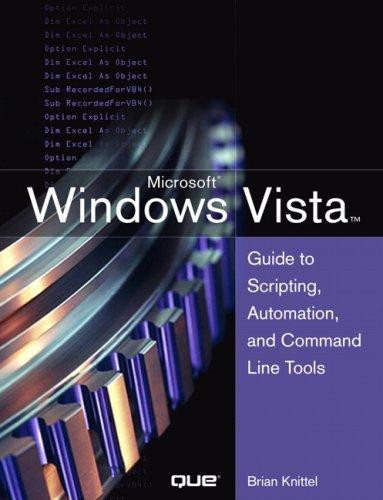
10 reviewsTHE ONLY HANDS-ON, UP-TO-DATE GUIDE TO VBSCRIPT, THE WINDOWS COMMAND LINE, AND WINDOWS POWERSHELL Windows 7 and Vista contain state-of-the-art tools for streamlining or automating virtually any system management task. If you're a power user, administrator, or developer, these tools can help you eliminate repetitive work and manage your systems far more reliably and effectively. Renowned Windows expert Brian Knittel brings together the practical knowledge you need to use all these tools, including VBScript and Windows Scripting Host (WSH), traditional batch files, the advanced PowerShell command console, and more. Using plenty of examples, Knittel explains how each tool works, and how to solve real-world problems with them. You'll master techniques ranging from accessing files to manipulating the Registry, sending automated emails to configuring new users. Knittel also provides concise, handy references to Windows 7/Vista's command line, GUI scripting, and object-based management tools. The only single-source guide to all leading methods of Windows scripting and automation, this book will help you get far more done--in far less time! * Understand Windows Scripting Host (WSH) and the modern Windows scripting environment Script objects with VBScript, JScript, ActivePerl, and ActivePython Read and write files, including XML and HTML files Manipulate programs and shortcuts Manage network, printer, and fax connections Make the most of PowerShell under Windows 7 and Vista Monitor and administer Windows systems with Windows Management Interface (WMI) Use ADSI to control Active Directory and Microsoft Exchange, and manage users more efficiently Avoid mistakes that can compromise script security * Use Windows' debugging tools to test and troubleshoot scripts Develop batch files that take full advantage of the command line Send faxes and email messages from scripts with Windows Fax and Collaboration Data Objects (CDO)* Deploy your scripts throughout your organization Brian Knittel has been a software developer for more than 30 years. He has coauthored five titles in Que's Special Edition Using series, covering Microsoft Windows Vista, XP, and 2000. He is also author of Windows XP Under the Hood, and coauthor of Upgrading and Repairing Windows (with Scott Mueller).
SynopsisThe addition of the mouse and the Graphical User Interface made the computer accessible to many more people than would have been possible otherwise. Still, "pointing and clicking" can be tedious when performing routine or repetitive tasks. Just as people learn to use menu shortcuts (the Alt key) to save time, savvy users and administrators learn to write batch files and scripts to avoid having to type the same commands over and over. Scripts save time, increase accuracy, and serve as documentation to boot. Windows Vista comes with scripting, batch file and command line tools that can make a power user or administrator's life easier-if she or he knows what they are and how to use them. However, a general lack of information and awareness prevent their widespread use. Most current Windows users have no idea how powerful and effective these tools can be. The new scripting languages are a mystery to most Windows users. And, in Windows Vista, most command line tools aren't even discussed in the Windows Help system. Finally, last year Microsoft released a completely new scripting and command line environment called the Windows PowerShell.It's available as a free download, as an add-on to Windows Vista and XP, but few users are aware of its existence, let alone its power and potential.