logo

EbookBell.com

Most ebook files are in PDF format, so you can easily read them using various software such as Foxit Reader or directly on the Google Chrome browser.
Some ebook files are released by publishers in other formats such as .awz, .mobi, .epub, .fb2, etc. You may need to install specific software to read these formats on mobile/PC, such as Calibre.

Please read the tutorial at this link:  https://ebookbell.com/faq 


We offer FREE conversion to the popular formats you request; however, this may take some time. Therefore, right after payment, please email us, and we will try to provide the service as quickly as possible.


For some exceptional file formats or broken links (if any), please refrain from opening any disputes. Instead, email us first, and we will try to assist within a maximum of 6 hours.

EbookBell Team
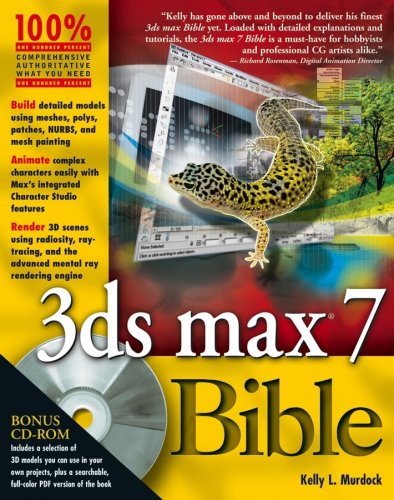
3ds Max 7 Bible Papcdr Edition Murdock Kelly

  • SKU: BELL-238380130
3ds Max 7 Bible Papcdr Edition Murdock Kelly
$ 35.00 $ 45.00 (-22%)

4.4

72 reviews

3ds Max 7 Bible Papcdr Edition Murdock Kelly instant download after payment.

Publisher: Hoboken, NJ : Wiley Pub., Inc
File Extension: PDF
File size: 75.46 MB
Author: Murdock, Kelly
Language: English
Year: 2005
Edition: Pap/Cdr edition

Product desciption

3ds Max 7 Bible Papcdr Edition Murdock Kelly by Murdock, Kelly instant download after payment.

xlii, 1252 pages : 24 cm +, Computer graphics and design using 3ds max 7, CD-ROM includes: Author-created materials; 3D models; eBook version of 3ds max 7 bible, System requirements for accompanying CD-ROM: PC with Pentium processor running at 300 Mhz or faster; Windows 2000, Me, or XP; at least 512 MB total RAM (1 GB recommended); CD-ROM drive, Learning the max interface : Creating and animating a three-fingered Gaaboot ; Finding your way -- exploring the max interface ; Seeing it all -- working with the viewports ; Saving your scene -- working with files and xrefs ; Customizing the max interface and setting preferences -- Working with objects : Creating and editing primitive objects ; Selecting objects and setting object properties ; Transforming objects -- translate, rotate, and scale ; Cloning objects and creating objects arrays ; Grouping and linking objects ; Working with the schematic view ; Introducing modifiers and using the modifier stack -- Modeling : Modeling basics and working with subobjects ; Drawing and editing 2D splines and shapes ; Using editable poly objects ; Painting deformations ; Working with mesh modifiers ; Surface modeling with patches and NURBS ; Building compound objects ; Creating particles and particle flows -- Materials and Maps : Exploring the material editor ; Creating simple materials ; Creating advance multi-layer materials ; Adding material details with maps ; Controlling mapping coordinates ; Creating baked textures -- Cameras and lighting : Working with cameras ; Basic lighting techniques ; Advanced lighting, light tracing, and radiosity -- Animation : Animation and keyframe basics ; Using animation modifiers ; Wiring custom attributes ; Animating with constraints and controllers ; Using the expression controller ; Working with the track view -- Character studio, Rigging, and inverse kinematics : Creating an animating bipeds ; Using physique to add skin to biped ; Controlling biped crowds ; Manually rigging a character ;…

Related Products