logo

EbookBell.com

Most ebook files are in PDF format, so you can easily read them using various software such as Foxit Reader or directly on the Google Chrome browser.
Some ebook files are released by publishers in other formats such as .awz, .mobi, .epub, .fb2, etc. You may need to install specific software to read these formats on mobile/PC, such as Calibre.

Please read the tutorial at this link:  https://ebookbell.com/faq 


We offer FREE conversion to the popular formats you request; however, this may take some time. Therefore, right after payment, please email us, and we will try to provide the service as quickly as possible.


For some exceptional file formats or broken links (if any), please refrain from opening any disputes. Instead, email us first, and we will try to assist within a maximum of 6 hours.

EbookBell Team
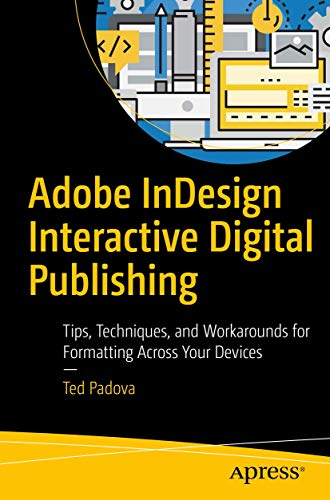
Adobe Indesign Interactive Digital Publishing Tips Techniques And Workarounds For Formatting Across Your Devices 1st Ed Padova

  • SKU: BELL-22672324
Adobe Indesign Interactive Digital Publishing Tips Techniques And Workarounds For Formatting Across Your Devices 1st Ed Padova
$ 35.00 $ 45.00 (-22%)

4.0

66 reviews

Adobe Indesign Interactive Digital Publishing Tips Techniques And Workarounds For Formatting Across Your Devices 1st Ed Padova instant download after payment.

Publisher: Apress
File Extension: PDF
File size: 40.73 MB
Pages: 569
Author: Padova, Ted
ISBN: 9781484224380, 1484224388
Language: English
Year: 2017
Edition: 1st ed.

Product desciption

Adobe Indesign Interactive Digital Publishing Tips Techniques And Workarounds For Formatting Across Your Devices 1st Ed Padova by Padova, Ted 9781484224380, 1484224388 instant download after payment.

Expand your skills for laying out and formatting documents and eBooks deployed for screen viewing on computers, tablets, and smart phones. The book covers how to add interactivity to reflowable and fixed layout eBooks, interactive PDF documents, and take advantage of Adobe’s new Publish Online. Tips, techniques, and workarounds offer you a comprehensive view at adding interactivity to any kind of document and deploy them on social media and web sites. Learn essential skills for composing documents in Adobe InDesign, how to work with styles, format text and graphics, work with rich media, create multi-state objects, hyperlinks, and animations. What You'll Learn: Set up documents for interactive digital publishing Create Animations in InDesign Build and work with Multi-State Objects Host interactive documents on Facebook and other social media sites Who This Book Is For Graphic designers, book designers, and publishers amazon.com

Related Products