logo

EbookBell.com

Most ebook files are in PDF format, so you can easily read them using various software such as Foxit Reader or directly on the Google Chrome browser.
Some ebook files are released by publishers in other formats such as .awz, .mobi, .epub, .fb2, etc. You may need to install specific software to read these formats on mobile/PC, such as Calibre.

Please read the tutorial at this link:  https://ebookbell.com/faq 


We offer FREE conversion to the popular formats you request; however, this may take some time. Therefore, right after payment, please email us, and we will try to provide the service as quickly as possible.


For some exceptional file formats or broken links (if any), please refrain from opening any disputes. Instead, email us first, and we will try to assist within a maximum of 6 hours.

EbookBell Team
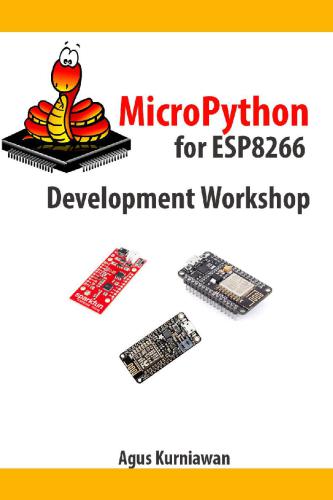
Micropython For Esp8266 Development Workshop Agus Kurniawan

  • SKU: BELL-5598924
Micropython For Esp8266 Development Workshop Agus Kurniawan
$ 35.00 $ 45.00 (-22%)

4.0

66 reviews

Micropython For Esp8266 Development Workshop Agus Kurniawan instant download after payment.

Publisher: PE Press
File Extension: EPUB
File size: 2.79 MB
Author: Agus Kurniawan
Language: English
Year: 2016

Product desciption

Micropython For Esp8266 Development Workshop Agus Kurniawan by Agus Kurniawan instant download after payment.

This book explores how to work with MicroPython development for ESP8266 modules and boards such as NodeMCU, SparkFun ESP8266 Thing and Adafruit Feather HUZZAH with ESP8266 WiFi. The following is highlight topics in this book Preparing Development Environment Setting Up MicroPython GPIO Programming PWM and Analog Input Working with I2C Working with UART Working with SPI Working with DHT Module. Table of Contents Preface 1. Preparing Development Environment 1.1 MicroPython Boards 1.2 Electronics Components 1.2.1 Arduino Starter Kit 1.2.2 Fritzing 1.2.3 Cooking-Hacks: Arduino Starter Kit 1.2.4 Arduino Sidekick Basic kit v2 1.2.5 Grove - Starter Kit for Arduino 1.2.6 DFRobot - Arduino Kit for Beginner v3 1.3 Development Tools 1.4 Testing 2. Setting Up MicroPython 2.1 Getting Started 2.2 Connecting MicroPython Boards to Computer 2.3 Flashing The Latest MicroPython Firmware 2.3.1 Windows Platform 2.3.2 Linux and OS X Platforms 2.4 Development Tools 2.4.1 Serial/UART Tool 2.4.2 WebREPL 2.5 Python programming 2.6 Hello MicroPython: Blinking LED 2.6.1 Wiring 2.6.2 Writing Program Using Serial/UART Tool 2.7 Uploading Python Script File to MicroPython Board 3. GPIO Programming 3.1 Getting Started 3.2 Wiring 3.3 Writing a Program 3.4 Testing 4. PWM and Analog Input 4.1 Getting Started 4.2 Demo Analog Output (PWM) : RGB LED 4.2.1 Wiring 4.2.2 Writing Program 4.2.3 Testing 4.3 Demo Analog Input: Working with Potentiometer 4.3.1 Wiring 4.3.2 Writing Program 4.3.3 Testing 5. Working with I2C 5.1 Getting Started 5.2 Writing Program 5.3 Writing Program 5.4 Testing 6. Working with UART 6.1 Getting Started 6.2 Wiring 6.3 Writing a Program 6.4 Testing 7. Working with SPI 7.1 Getting Started 7.2 Wiring 7.3 Writing a Program 7.4 Testing 8. Working with DHT Module 8.1 Getting Started 8.2 Wiring 8.3 Writing MicroPython Program 8.4 Testing Source Code My Books for ESP8266 Development Contact

Related Products