logo

EbookBell.com

Most ebook files are in PDF format, so you can easily read them using various software such as Foxit Reader or directly on the Google Chrome browser.
Some ebook files are released by publishers in other formats such as .awz, .mobi, .epub, .fb2, etc. You may need to install specific software to read these formats on mobile/PC, such as Calibre.

Please read the tutorial at this link:  https://ebookbell.com/faq 


We offer FREE conversion to the popular formats you request; however, this may take some time. Therefore, right after payment, please email us, and we will try to provide the service as quickly as possible.


For some exceptional file formats or broken links (if any), please refrain from opening any disputes. Instead, email us first, and we will try to assist within a maximum of 6 hours.

EbookBell Team
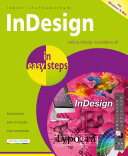
Indesign In Easy Steps 3rd Edition Making Indesign Accessible To All Robert Shufflebotham

  • SKU: BELL-51143868
Indesign In Easy Steps 3rd Edition Making Indesign Accessible To All Robert Shufflebotham
$ 35.00 $ 45.00 (-22%)

4.1

40 reviews

Indesign In Easy Steps 3rd Edition Making Indesign Accessible To All Robert Shufflebotham instant download after payment.

Publisher: In Easy Steps
File Extension: EPUB
File size: 5.67 MB
Pages: 192
Author: Robert Shufflebotham
ISBN: 9781840789515, 1840789514
Language: English
Year: 2021

Product desciption

Indesign In Easy Steps 3rd Edition Making Indesign Accessible To All Robert Shufflebotham by Robert Shufflebotham 9781840789515, 1840789514 instant download after payment.

Written by an expert on Adobe software training for some of the largest and most prestigious magazine, book and newspaper publishers in the world, InDesign in easy steps, 3rd edition is ideal for anyone wanting to get started with InDesign basics and become a competent and confident InDesign user. You’ll master the fundamentals and then progress to exploit the full creative potential of this powerful tool. In easy steps, you’ll learn: · The InDesign environment and creating pages. · Entering, editing and formatting text. · Adding images and graphic frames. · Arranging objects, layers and groups. · Working with color creatively. · Using tables and tabs to present data clearly. · Printing and exporting for e-publishing. Packed with clever tips throughout, you’ll soon be creating professional documents, stunning brochures, creative publications, and more! For Windows and Mac users. Table of Contents: 1. The Working Environment 2. Building Pages 3. Text Basics 4. Character Settings 5. Paragraph Settings 6. Images and Graphic Frames 7. Arranging Objects 8. Working with Color 9. Managing and Editing Text 10. The Pages Panel and Master Pages 11. Paragraph and Character Styles 12. Tables and Tabs 13. Printing and Exporting 14. Transformations and Transparency 15. Paths and the Pen Tool

Related Products