logo

EbookBell.com

Most ebook files are in PDF format, so you can easily read them using various software such as Foxit Reader or directly on the Google Chrome browser.
Some ebook files are released by publishers in other formats such as .awz, .mobi, .epub, .fb2, etc. You may need to install specific software to read these formats on mobile/PC, such as Calibre.

Please read the tutorial at this link:  https://ebookbell.com/faq 


We offer FREE conversion to the popular formats you request; however, this may take some time. Therefore, right after payment, please email us, and we will try to provide the service as quickly as possible.


For some exceptional file formats or broken links (if any), please refrain from opening any disputes. Instead, email us first, and we will try to assist within a maximum of 6 hours.

EbookBell Team
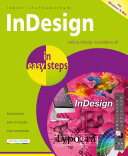
Indesign In Easy Steps 8th Edition Robert Shufflebotham

  • SKU: BELL-11124796
Indesign In Easy Steps 8th Edition Robert Shufflebotham
$ 35.00 $ 45.00 (-22%)

5.0

108 reviews

Indesign In Easy Steps 8th Edition Robert Shufflebotham instant download after payment.

Publisher: In Easy Steps
File Extension: PDF
File size: 28.74 MB
Pages: 240
Author: Robert Shufflebotham
ISBN: 9781840784145, 1840784148
Language: English
Year: 2011
Edition: 8

Product desciption

Indesign In Easy Steps 8th Edition Robert Shufflebotham by Robert Shufflebotham 9781840784145, 1840784148 instant download after payment.

Written by an industry professional with over 21 years experience of training in electronic publishing software, InDesign In Easy Steps breaks down this versatile, user-friendly page layout software into a straightforward, manageable and logical series of learning events.
If your aim is to get started with the basics, become a competent and confident user, and then to master InDesign - this book is for you.
The book builds from the basics, such as the Working Environment, Building Pages, Text, character and Paragraph settings. Then, it continues to cover more and more of the extensive range of functionality InDesign has to offer. By following the book's logical structure you can develop the core skills needed to master the software.
Areas covered include:
Tables and Tabs;
Table of Contents, Indexing and Books;
Printing and Exporting;
Transformations and Transparency;
Paths and the Pen Tool.
For both Windows & Mac users.

Related Products