logo

EbookBell.com

Most ebook files are in PDF format, so you can easily read them using various software such as Foxit Reader or directly on the Google Chrome browser.
Some ebook files are released by publishers in other formats such as .awz, .mobi, .epub, .fb2, etc. You may need to install specific software to read these formats on mobile/PC, such as Calibre.

Please read the tutorial at this link:  https://ebookbell.com/faq 


We offer FREE conversion to the popular formats you request; however, this may take some time. Therefore, right after payment, please email us, and we will try to provide the service as quickly as possible.


For some exceptional file formats or broken links (if any), please refrain from opening any disputes. Instead, email us first, and we will try to assist within a maximum of 6 hours.

EbookBell Team
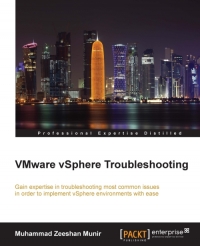
Vmware Vsphere Troubleshooting Gain Experience In Troubleshooting Most Common Issues In Order To Implement Vsphere Environments With Ease 1st Edition Muhammad Zeeshan Munir

  • SKU: BELL-238743900
Vmware Vsphere Troubleshooting Gain Experience In Troubleshooting Most Common Issues In Order To Implement Vsphere Environments With Ease 1st Edition Muhammad Zeeshan Munir
$ 35.00 $ 45.00 (-22%)

0.0

0 reviews

Vmware Vsphere Troubleshooting Gain Experience In Troubleshooting Most Common Issues In Order To Implement Vsphere Environments With Ease 1st Edition Muhammad Zeeshan Munir instant download after payment.

Publisher: Birmingham, UK : Packt Publishing
File Extension: PDF
File size: 13.06 MB
Author: Muhammad Zeeshan Munir
Language: English
Year: 2015
Edition: 1

Product desciption

Vmware Vsphere Troubleshooting Gain Experience In Troubleshooting Most Common Issues In Order To Implement Vsphere Environments With Ease 1st Edition Muhammad Zeeshan Munir by Muhammad Zeeshan Munir instant download after payment.

1 online resource (1 volume) :, Online resource; title from cover page (Safari, viewed November 17, 2015), Includes index, Cover ; Copyright; Credits; About the Author; About the Reviewers; www.PacktPub.com; Table of Contents; Preface; Chapter 1: The Methodology of Problem Solving; Troubleshooting techniques; Precise communication; Creating a knowledge base of identified problems and solutions; Obtaining the required knowledge of the problem space; Isolating the problem space; Documenting and keeping track of changes; Troubleshooting with power tools; Configuring the vSphere management agent; Installation; Installation steps; VMware vMA features; Powering-on vMA; AD integration; AD unattended access; vMA web UI, Vi-userConfiguring vMA as a syslog server; Creating a logrotate file; The vMA authentication mechanism; Accessing systems from vMA; vMA scripts samples; PowerCLI; Connecting to vCenter Server or an ESX/vSphere host with PowerCLI; Setting up a syslog server using PowerCLI; Setting up a sysLog server manually; A comprehensive reference of log files; vSphere log files -- vSphere host 5.1 and later; Logs from vCenter Server components on vSphere host 5.1, 5.5, and 6.0; vCenter log files; vCenter inventory service log files; vSphere Profile-Driven Storage log files, Configuring logs and collecting logsUsing vSphere Client; Using vSphere Web Client; Using the vm-support tool; Running vm-support in a console session on vSphere hosts; Generating logs on stdout; Using vm-support in vMA to collect logs ; Using PowerCLI to collect the log bundle; Collecting log bundles from vCenter Server; Collecting log bundles from a vSphere host; Collecting log bundles from the vSphere log browser; Exporting logs; Understanding the hardware health of vSphere hosts; Miscellaneous tools; Summary; Chapter 2: Monitoring and Troubleshooting Host and VM Performance, Tools for performance monitoringUsing esxtop/resxtop; Live resource monitoring -- the interactive mode; Offline performance

Related Products